MySync

Cross-Platform · High-Performance · Lightweight Data Sync Tool

MySync is a cross-platform, high-performance, and lightweight data synchronization tool that fully supports Windows, macOS, and Linux. Sync data between local and remote storage quickly, and manage large numbers of files with ease.

MySync is still in the Beta stage. Please do not use it in a production environment and make necessary data backups.

Many Great Features

Multiple platforms support
Secure transport (TLS)
Bidirectional sync
GUI operations
Self-hosted S3 service

Configurable secure transport options (TLS)

Reliable and secure transmission implementation:

Based on the secure and reliable industry mainstream OpenSSL security encryption library

Supports turning TLS on or off based on the needs of the S3 server

Supports mainstream TLS versions: TLS 1.2, TLS 1.3

Customizable certificate verification strategy

Support multiple sync modes

Supports the following file sync modes:

Bidirectional sync

Upload only

Download only

Multi-platform support

You can use it on the following platforms:

Windows

Linux

macOS

UOS

Efficient implementation details

Use the following advanced techniques to provide efficient S3 object operations:

Upload and download large files in multiparts

Use multithreading to upload and download small files

Use the bulk delete S3 API to perform file deletion operations

Using cache to speed up network transfers

Product Screenshot

Check out the screenshots below to get a visual of what it looks like.

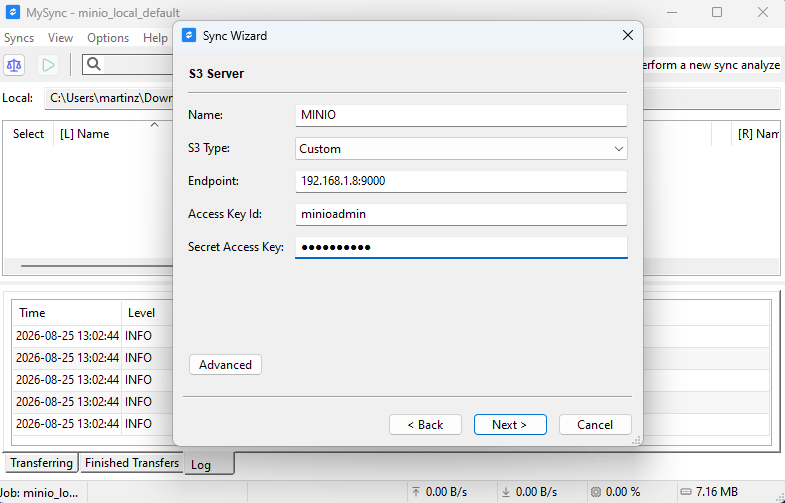
Simple S3 Account configuration (Windows)

1. Simple S3 Account configuration (Windows)

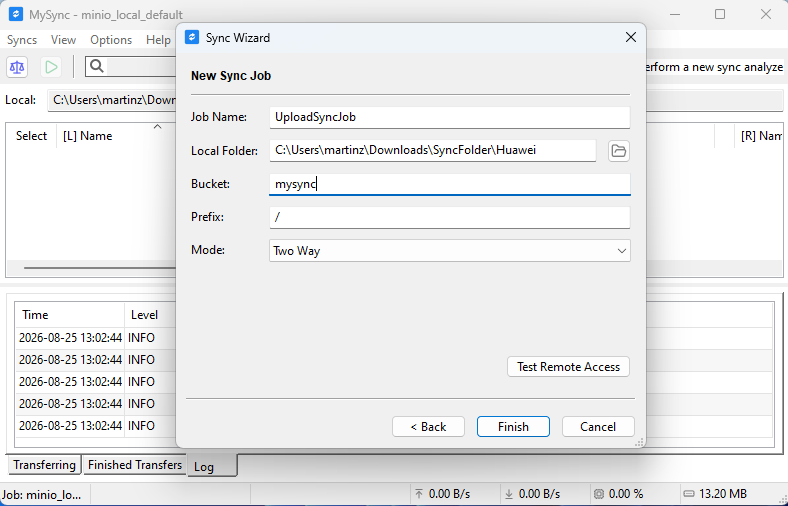
Simple S3 Sync Job configuration (Windows)

2. Simple S3 Sync Job configuration (Windows)

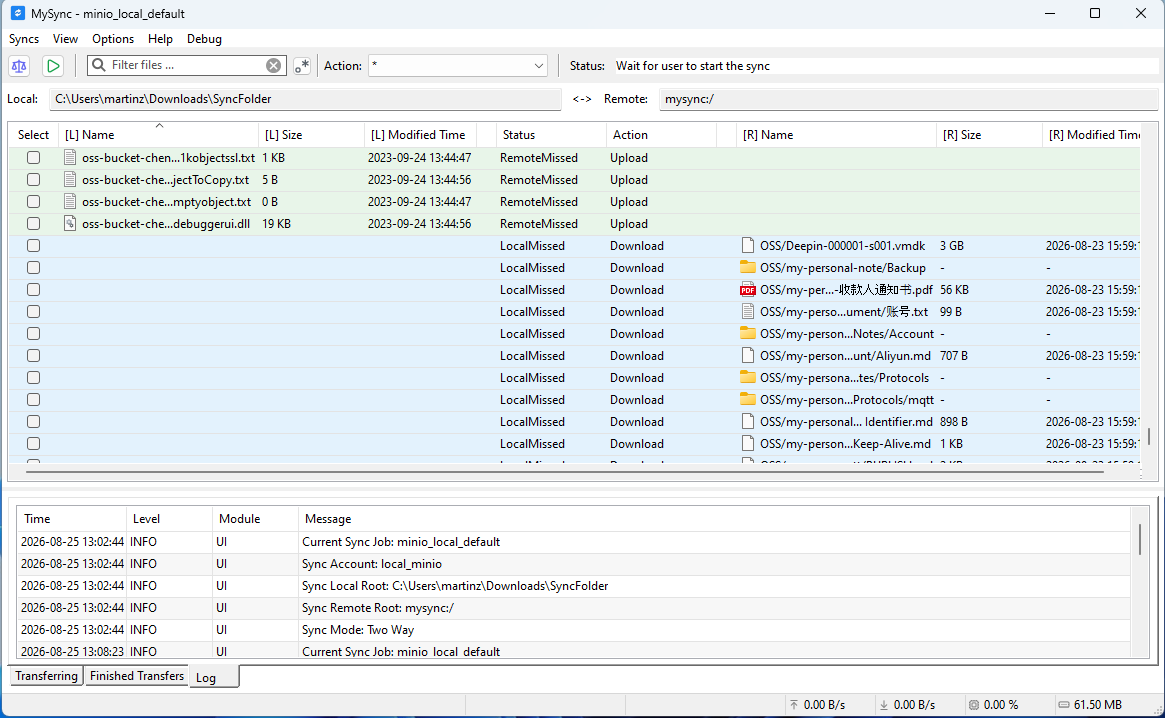
Differences view (Windows)

3. Differences view (Windows)

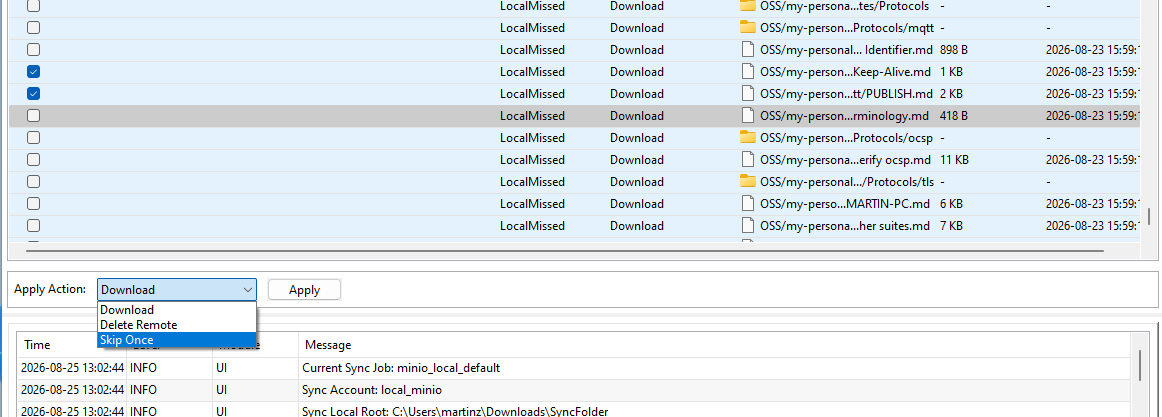
Batch file synchronization operations (Windows)g

4. Batch file synchronization operations (Windows)g

How To Use It

Have a look at the following resources to learn how to use it

Documentation

Follow our online documentation to get started with MySync.

Email us

Contact us and let us know about any issues you encounter while using MySync.

Feedback & Bug Reports

Report bugs or share your suggestions to help us improve MySync.

Frequently Asked Questions

Still have questions? Don't hesitate, Contact us