S3 Explorer connects to Tencent COS#
Start S3 Explorer#
After the program opens normally, the following login page will be displayed:
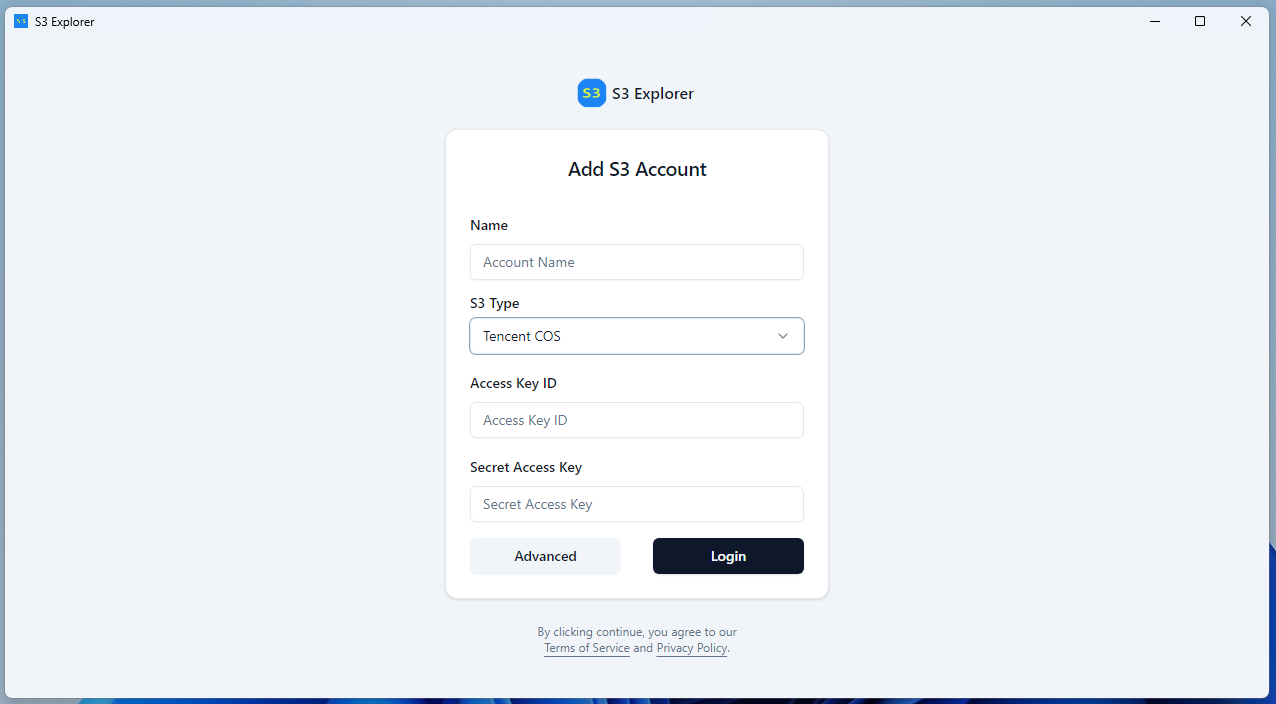
Name#
Account Name. You can give your account a name that is easy to remember.
Chinese or pure English characters are supported. The use of special characters is not recommended.
S3 Type#
Selecting Tencent COS in this dropdown menu is for connecting to the Tencent COS server.
Access Key ID and Secret Access Key#
This is the account information you use to access your files on Tencent COS.
About Access Key ID and Secret Access Key, access AccessKey Management to get more information.
Your account information will be saved to your local configuration file.
To prevent your account information from being leaked, the
Secret Access Keyis stored in encrypted form.We will not upload your configuration information to any server; it only exists on your local computer.
Advanced#
No other advanced configuration is required for Tencent COS, so you don't need to do any additional configuration here.
Login#
Once the above information is configured correctly, click the Login button. After successfully logging in, you can start working with your files.
The connection has been successfully established. You can now begin your usage journey!