Supported sync modes
MySync supports three data sync modes:
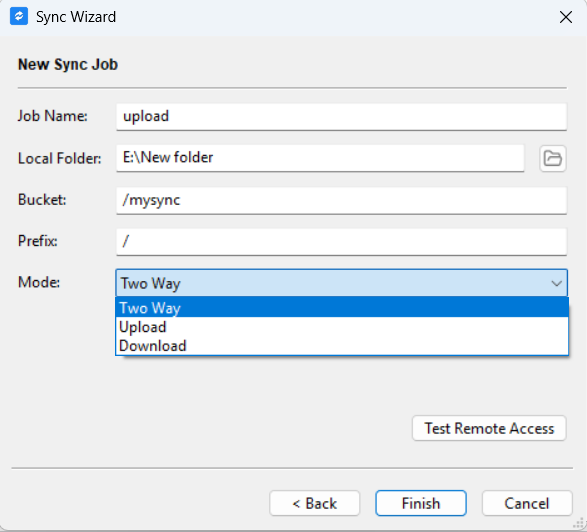
1. Two Way: Synchronize data in both directions.
In this mode, MySync uploads and downloads data and deletes files both locally and remotely, so as to keep the local filesystem and the remote filesystem in exactly the same state.
The local files always take precedence. Files that cannot be synchronized automatically require the user to review them manually and decide how to synchronize the corresponding file data.
For example
| Change on local or remote file | Default action |
|---|---|
| File newly created locally (the file does not exist on the remote server) | Upload to remote |
| File newly created on the remote server (the file does not exist in the local filesystem) | Download to local |
| File deleted locally | Delete remote file |
| File deleted remotely | Delete local file |
2. Upload: Upload local file data to the remote server
In this mode, MySync uploads data and deletes remote files, so as to synchronize local file changes to the remote, keeping the remote filesystem and the local filesystem consistent.
In this mode, when the remote filesystem changes, MySync will not try to synchronize the remote changes to the local filesystem.
The local files always take precedence. Files that cannot be synchronized automatically require the user to review them manually and decide how to synchronize the corresponding file data.
For example
| Change on local or remote file | Default action |
|---|---|
| File newly created locally (the file does not exist on the remote server) | Upload to remote |
| File newly created on the remote server (the file does not exist in the local filesystem) | Do not download to local |
| File deleted locally | Delete remote file |
| File deleted remotely | Do not delete local file |
3. Download: Download remote server data to the local filesystem
In this mode, MySync downloads data and deletes files in the local filesystem, so as to synchronize remote filesystem changes to the local filesystem, keeping the local filesystem and the remote filesystem consistent.
In this mode, when the local filesystem changes, MySync will not try to synchronize the local changes to the remote filesystem.
The remote files always take precedence. Files that cannot be synchronized automatically require the user to review them manually and decide how to synchronize the corresponding file data.
For example
| Change on local or remote file | Default action |
|---|---|
| File newly created locally (the file does not exist on the remote server) | No remote file operation |
| File newly created on the remote server (the file does not exist in the local filesystem) | Download to local |
| File deleted locally | Do not delete remote file |
| File deleted remotely | Delete local file |