Query the basic metadata of the object#
S3 Explorer supports querying basic metadata of S3 objects:
The steps are as follows#
- First, you need to ensure that you have successfully connected to your S3 file server.
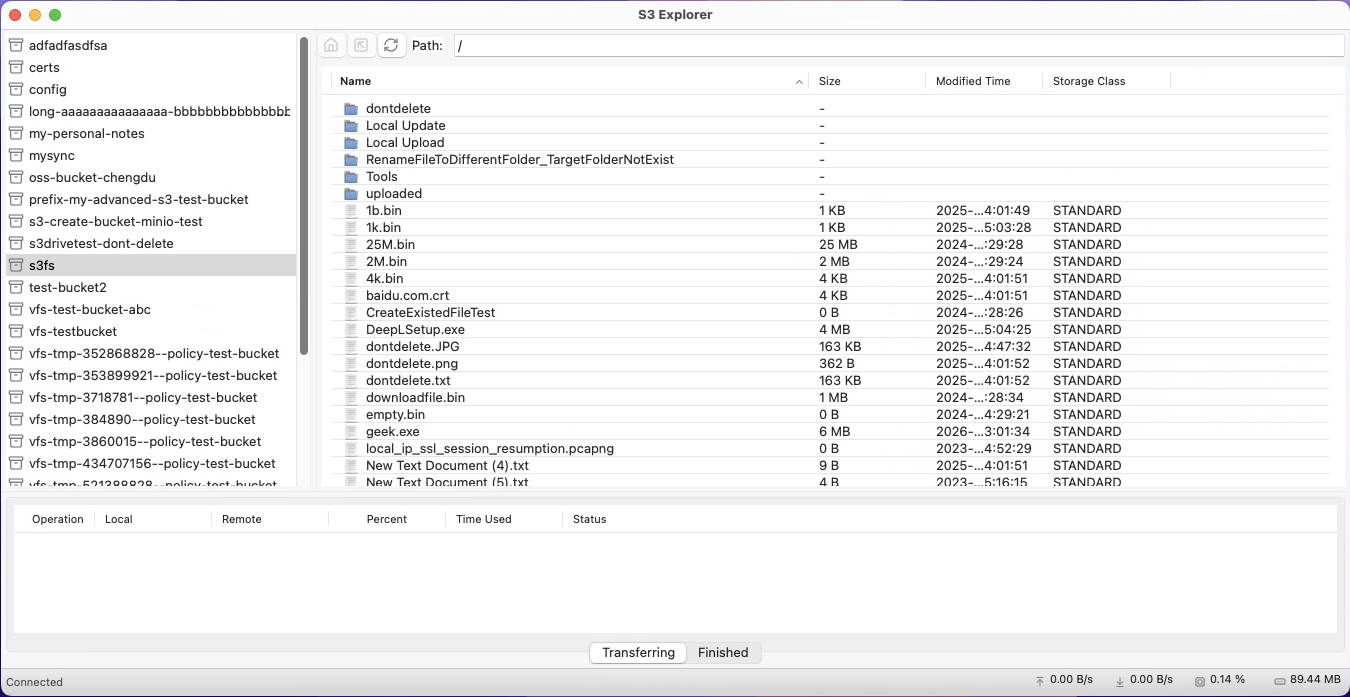
- In the file list on the right panel, select a file. Note that this must be a file type, not a directory.
- Right-clicking will bring up a context menu. In the context menu, select the
Metadataoption.
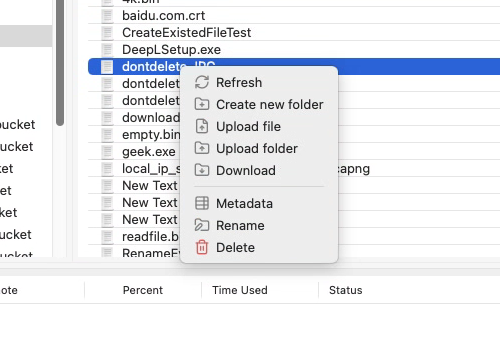
- After selecting the
Metadataoption, the Metadata information dialog will be displayed.
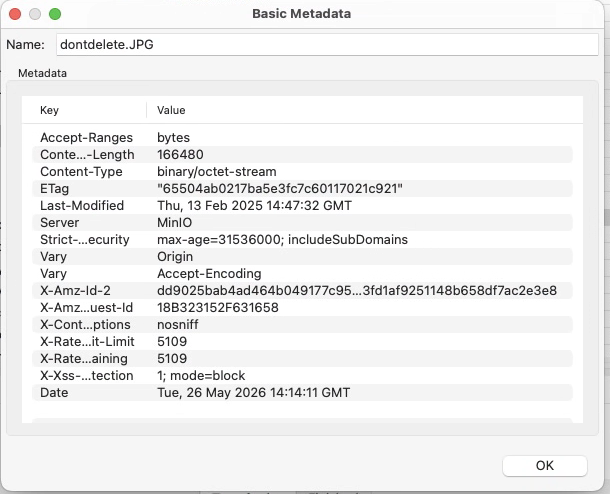
This will then display your file's metadata information, including:
Content-LengthContent-TypeETagLast-ModifiedDateX-Amz-Id-*
, etc.
Note:
S3 Explorer simply displays the return value of the server-side HeadObject as is.
The information displayed here will vary depending on the S3 server you are connecting to. For an accurate list of information, you need to check the features supported by your server.